


Traditional cable television has long been the primary way to watch live news, sports, and entertainment. However, with the rise of modern digital platforms, viewers now have an unprecedented number of flexible alternatives.
If you find that your household spends most of its time on a select few channels or favorite on-demand shows, making the switch to a streaming setup allows you to save money cutting the cord while designing a viewing experience built entirely around your needs.
Here is a breakdown of how much you can save, the best hardware and software alternatives available, and the lifestyle benefits of taking control of your television setup.
The Financial Reality: Aligning Costs with What You Watch
A standard cable package bundles hundreds of channels together, which works great for high-volume TV watchers. But if your family’s viewing is focused on a smaller set of networks, paying for a massive bundle can mean paying for content you rarely touch.
Transitioning to a modern setup allows you to reallocate your entertainment budget:
- One-Time Hardware Purchases vs. Monthly Rentals: Traditional cable subscriptions usually include monthly rental charges for set-top boxes, remotes, and DVR units across every TV in the house. By investing in a standalone streaming stick/box or smart TV interface once, you eliminate recurring equipment rental fees.
- Free Over-The-Air (OTA) Broadcasts: Local networks like ABC, CBS, NBC, and Fox broadcast high-definition signals over the air for free. Pairing a digital antenna with your TV eliminates the need to pay monthly broadcast surcharge fees. Try our Guide: Are Free OTA Broadcasts in Your Area?
- A la Carte App Selection: Rather than paying for channels you don’t watch, you can select specific standalone apps or slimmed-down live TV bundles. You can use our Device & App Choosers to map out exactly which platforms carry your favorite networks.
Hardware, Apps, and Software Alternatives Explained
Building your custom TV setup comes down to three main components: Hardware (how you stream), Apps (what you watch), and Software Solutions (how you record or manage content).
- Streaming Hardware Alternatives
Your hardware connects your TV to the internet and hosts your streaming apps. Popular choices include:
- Amazon Fire TV Stick / Cube: Highly popular, affordable devices that integrate seamlessly with Amazon’s ecosystem and Alexa voice controls.
- Apple TV 4K: A high-performance option with a slick, ad-free interface, fast navigation, and deep integration for Apple ecosystem users.
- Google TV (Android TV): Focuses heavily on content recommendations right on the home screen, making it easy to find shows across all your installed apps.
- Roku Devices & Roku TVs: Simple plug-and-play options, though recent user interface updates have added more ad banners and button rows to the home screen layout.
- Learn More from our guide: A Beginner’s Guide to Streaming Device Operating Systems & Smart TVs.
- App Alternatives: Free & Paid
Depending on whether you prefer live channel flipping or on-demand bingeing, you can mix and match from two main categories of apps:
- Free Ad-Supported Streaming TV (FAST) Apps:
- Pluto TV & Tubi: Offer hundreds of free live “channels” and massive on-demand movie libraries supported by short ad breaks.
- The Roku Channel & Freevee: Great zero-cost options for classic TV series, movies, and original content.
- Live TV Replacement Apps:
- Sling TV: A budget-friendly, customizable live TV option that lets you choose smaller channel packages (Orange or Blue).
- Hulu + Live TV, DirecTV & YouTube TV: Full-service cable alternatives that offer top cable networks, local channels, unlimited cloud DVR, and multi-user profiles.
- Software & OTA DVR Alternatives
If you love the recording features of a traditional cable DVR, you don’t have to give them up. Software and hardware DVR solutions allow you to pause, rewind, and record free over-the-air television:
- Tablo DVR: A standalone network DVR that plugs into your antenna and streams your local channels wirelessly to any TV or device in your home.
- HDHomeRun + Channels DVR: A popular setup for tech-savvy viewers that routes live broadcast signals over your home network into a clean, custom interface with multi-room DVR recording capabilities.
- Plex Media Server: Converts your local computer or storage drive into a personal media hub for live OTA TV, recorded shows, and personal media files.
- Device & Software Filters: You can find more about these and other device solutions through our Device Filters and Bundles Filter.
The Non-Financial Benefits of Cutting the Cord
While saving money is a major perk, switching to a streaming ecosystem also changes how you interact with television on a daily basis.
- Zero Long-Term Contracts: Most streaming apps operate on a month-to-month basis. You can subscribe to watch a new season of a show, pause your account when the season ends, and switch to a different platform with zero cancellation penalties.
- Clean, Clutter-Free Aesthetics: Streaming sticks plug directly into the back of your TV, hiding wires and removing bulky set-top boxes from your entertainment console.
- Total Portability: Because your streaming subscriptions are tied to your account rather than a physical wall jack, you can take your entire television lineup with you on a laptop, tablet, or smartphone when traveling.
How to Get Started Today
Transitioning your living room setup is straightforward when taken step-by-step:
- Check Your Internet: A reliable home internet connection of 100 Mbps is usually more than enough to handle simultaneous streams across multiple rooms. You might enjoy the information in our Guide: Choosing an Internet Provider.
- Select Your Antenna: Read our guide on Getting the Best Signal: Antenna Placement & ATSC 3.0 to find the right indoor or outdoor antenna for free local TV.
- Map Out Your Ideal Bundle: Don’t guess which apps or devices to buy. Take our Easy Quiz! to build a custom setup that fits your exact channel checklist and budget.
Frequently Asked Questions About Cord-Cutting Alternatives
Q: How do free streaming apps like Pluto TV or Tubi work?
A: Free Ad-Supported Streaming TV (FAST) platforms operate just like traditional broadcast television—you get access to thousands of movies and linear TV channels for free in exchange for watching occasional short commercial breaks.
Q: Can I record live over-the-air TV channels without cable?
A: Yes! By connecting a digital antenna to an OTA DVR like a Tablo box or HDHomeRun tuner paired with Channels DVR software, you can pause live TV, schedule series recordings, and watch recorded local broadcasts on any screen in your house.
Q: Which streaming hardware device is best for beginners?
A: Entry-level streaming sticks like the Roku 4K Stick, Amazon Fire TV Stick or Google TV offer simple setups that plug directly into an HDMI port. If you prefer a premium, high-speed experience without screen clutter, devices like the Apple TV 4K are excellent options.
Q: What internet speed do I need for streaming apps?
A: For standard HD streaming (1080p), most apps require around 5 Mbps per device. For 4K Ultra HD streaming, you’ll need roughly 25 Mbps per stream. A standard household internet speed of 100 Mbps easily handles multiple family members streaming at the same time.
Popular Devices
When you purchase through links on our site, we may earn an affiliate commission with no additional cost to you.
-
Sale!
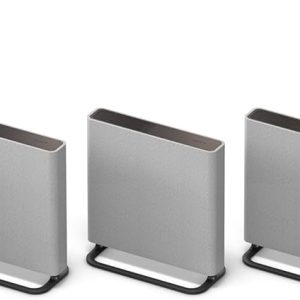
Sony BRAVIA Theater Quad 16 Home Theater Surround Sound System HT-A9M2 and SA-SW5 Wireless Subwoofer
Original price was: $3,499.98.$703.98Current price is: $703.98. -
Sale!
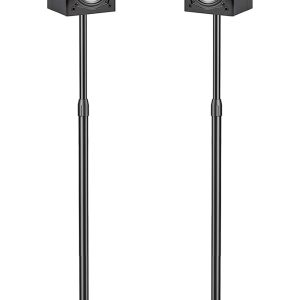
PERLESMITH Speaker Stands Adjustable – Extend 20″ to 44″ – Holds Satellite Speakers up to 9 lbs, 1 Pair
Original price was: $50.99.$37.99Current price is: $37.99. -
Sale!
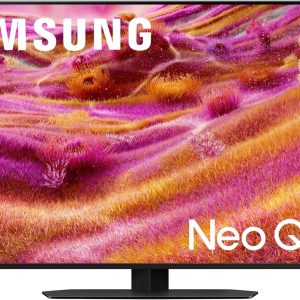
Samsung 43″-115″ Neo QLED 4K QN90F Series, Vision AI, Mini LED Smart TV (43QN90F) Neo Quantum HDR+ Dolby Atmos, Gaming Hub, Alexa
Original price was: $1,197.99.$897.99Current price is: $897.99. -
Sale!

Hisense 50″-100″ Class QD7 Series Mini-LED 4K UHD Smart Fire TV (50QD7QF – QLED, HDR10+, Dolby Vision, Dolby Atmos, Game Mode Plus, Alexa Built in
Original price was: $399.00.$299.99Current price is: $299.99.