

First – Three quick questions, to help you choose an Internet Provider.
You will want to know the answers to these questions when you talk to potential Internet Providers.
(1) How many internet users in your home – including user types?
(2) Do you want WiFi?
(3) What Internet Provider services are available in your area?
 (1) How many internet users in your home including types?
As Mav and Goose say in Top Gun, “I feel the need…, the need for speed!”. The speed you need, depends.
Depends on the number of users, number of devices, types of devices, frequency of use and streaming quality (4K anyone?!). Speeds are also not always consistent, depending on the number of users on at the same time in your home and in your neighborhood. Yes, your neighbors can effect your speed.
So, weighing all factors, here are some very rough rules of thumb:
(NOTE: Listed speeds are download then upload for ONE user.)
FORMULA: #of Users x Mbps = estimated speed needed.
- 25 & 5 Mbps: Basic web surfing, social media and email.
- 25 & 5 Mbps per concurrent stream: Streaming music, 4K videos, TV, light gaming, Netflix, ESPN, YouTube TV, Hulu TV.
- 50 & 20 Mbps: Heavy gaming with HD/4K. (100+ & 25+ preferred)
- 50 & 20 Mbps: Working from home, large document, small server. (100+ & 25+ preferred*)
- 100 & 50 Mbps*: Home video server like Plex, HD/4K out of home streams. (1000 & 1000 preferred for multi-user out of home streaming.)
* Internet Provider (IP) standard UPLOAD speeds typically range from 10 to 35 Mbps for cable. Fiber Optic connections offer symmetrical speeds (e.g., 300 Mbps down / 300 Mbps up) and are best for heavy users. For context, the FCC currently sets the official benchmark for high-speed broadband at 100 Mbps download and 20 Mbps upload.
 (2) Do you want WiFi?
WiFi is a wireless connection that is broadcast throughout your home so that you can connect your TV, phone, tablet, computer and other devices to the internet AND to each other, wirelessly. This is done with a WiFi router. With modern standards like Wi-Fi 6, wireless speeds can now easily reach 2.5 Gbps up to 5+ Gbps (Gigabits per second) depending on your hardware.
When you connect to the internet, your Internet Provider will rent you a modem to connect to their service. The modem can also include a WiFi router, if you ask. Or, you can buy A WiFi router and save the monthly rental fee.
NOTES:
Why would you want WiFi?
-
Connect your OTA antenna to a TV tuner and watch TV free on multiple TVs, computers, tablets and phones. (Check out our Guide on
How to Record Live TV: The Ultimate Guide to OTA DVRs for a deeper dive). -
Save on cell phone data charges when browsing the internet.
-
Share games, files and apps between devices.
-
Smart appliances are controlled through WiFi.
-
And, of course, roam throughout the house without wired connections!
Rent or buy?
- Neither – if you get it free from your housing management or community. Just make sure it is fast enough for your needs. Read above on internet speeds.
- Rent – if you plan to be in the same house less than a year. Internet Providers can require different modems based on your location.
- Rent/Buy – if you want to use the internet provider’s modem, but buy a WiFi router to keep all your settings when you move.
- Buy – if you are a long-term resident and want to save money on those monthly rental fees.
- Buy – if you want control over speed for gaming or small business, OTA Tuner connections, broader and stronger coverage.
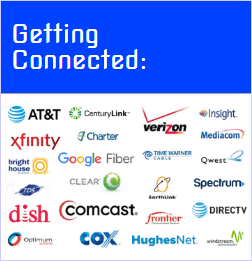 (3) What Internet Provider services are available in your area?
Now that you have a good idea of the download and upload speeds that you need, let’s see what is available and contact the appropriate provider. The providers available depends on where you live. This makes for just too many variables for us to select a provider for you. So, here are Internet Provider comparison sites that can show the providers available in your area, general information about each provider and phone numbers to contact them.
Provider connection types that may be available in your area include:
- Fiber Optic Providers – Offers the fastest, most reliable connection available, with multi-gigabit speeds now becoming the standard. Expect download and upload speeds ranging from 1,000 Mbps (1 Gbps) up to 5,000 Mbps (5 Gbps) depending on the provider. Fiber uses light signals over glass cables, meaning you get symmetrical speeds (your upload is as fast as your download)—perfect for heavy 4K streaming, large home video servers, and multi-user gaming. If it’s available in your neighborhood, a technician will run a line directly to a modem inside your home. Connecting a high-quality 1 Gbps or higher WiFi router to your fiber modem will ensure you get maximum speeds across all wireless devices.
- Cable Providers – Currently the most widely available high-speed option. Cable internet uses the same coaxial TV cables already wired into most homes. Providers now frequently offer download speeds up to 1,000 Mbps (1 Gbps) to 2,000 Mbps (2 Gbps), though upload speeds are typically asymmetrical, capping out between 35 Mbps and 100 Mbps. When ordering, remember that you are only paying for the internet, not an expensive TV package. The installer can usually ensure the internet is connected to existing cable outlets. Make sure you ask the installer directly. The provided modem can also include a WiFi router. You should see our NOTE above regarding owning or buying a modem/router instead of renting from the Internet Provider.
- 5G Home Internet Providers – One of the fastest-growing options for cord-cutters. Providers like T-Mobile and Verizon utilize their existing 5G cellular networks to beam high-speed internet directly to a receiver gateway in your home. Speeds generally range from 100 Mbps to 300+ Mbps, with some ultra-wideband areas reaching up to 1 Gbps. The biggest advantage? There are usually no data caps, no installation technicians required (it’s plug-and-play), and it often costs a flat monthly rate, making it a highly competitive alternative to traditional cable. The downside is the number of users online in your house and even your neighbors’ usage can affect your speed at any given time.
- Fixed Wireless Providers – A strong alternative primarily for rural or suburban areas where cable and fiber haven’t reached. Fixed wireless uses directional radio signals broadcast from a local tower to an antenna mounted on your roof or house. Speeds typically range from 25 Mbps to 100+ Mbps. It offers lower latency than traditional satellite internet, making it more viable for standard streaming and basic gaming, provided you have a clear line of sight to the broadcast tower.
- Satellite Providers – Essential for rural, off-grid, or RV living. The landscape here has changed dramatically:
- Low Earth Orbit (LEO): Providers like Starlink offer significantly faster speeds (100 Mbps to 200+ Mbps) and much lower latency, finally making standard HD/4K streaming and gaming possible via satellite.
- Geosynchronous (GEO): Traditional providers like HughesNet and Viasat offer speeds up to 25 Mbps to 100 Mbps. They typically have higher latency and stricter data caps. Both satellite types require a dish mounted with a clear view of the sky, which connects via coaxial cable to an indoor WiFi router.
- DSL (Digital Subscriber Line) Providers – Delivered through traditional telephone lines. While DSL is actively being phased out in many areas in favor of Fiber and 5G, it remains an option in select locations. Standard speeds range from 10 Mbps to 100 Mbps download and up to 8 Mbps upload. DSL Providers are more open to negotiating prices on speeds and can sometimes combine lines to boost speeds at the same cost as only one line. If you have other options like Cable, 5G, or Fiber, those will provide a superior streaming experience, but DSL can still handle basic browsing and standard-definition video.
Next, Internet Provider Comparison Sites*
With the information provided above and knowing what is best for your household, you are now ready to give an Internet Provider a call or sign-up on line! Below are a few of the more prominent Internet Provider search websites. Just put in your zip code and the site will return a list of Internet Providers in your area.
*NOTE: Just so you know, TheCordcutterHelper and its employees are not responsible for the content, quotes or results of using these third party websites and services.
Best Routers & Modems
When you purchase through links on our site, we may earn an affiliate commission with no additional cost to you.
-

ARRIS (S34) – Cable Modem – Fast DOCSIS 3.1 Multi-Gigabit Cable Modem, for Comcast Xfinity, Cox, Spectrum & More, 2.5 Gbps Max Internet Speeds, 1 Year Warranty – (No Built-in WiFi)
$235.99 -

ARRIS (SB6183) -Cable Modem – Fast DOCSIS 3.0 16×4 Gigabit Cable Modem, For Comcast Xfinity, Cox, Spectrum and more, 1 Gbps Port, 400 Mbps Max Internet Speed, 1 Year Warranty. (No Built-in WiFi)
$45.02 -
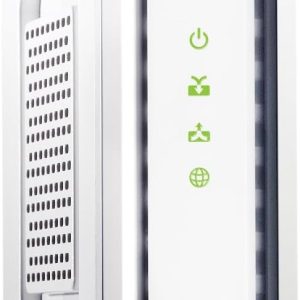
ARRIS (SB8200) – Cable Modem – Fast DOCSIS 3.1 32×8 Gigabit Cable Modem , Approved for Comcast Xfinity, Cox, Charter Spectrum, & more | 1 Gbps Max Internet Speed, 4 OFDM Channels – (No Built-in Wifi)
$168.47 -
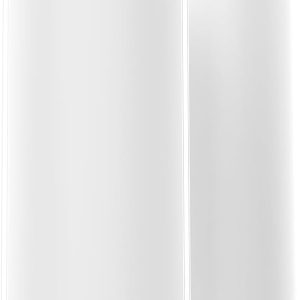
NETGEAR Orbi 870 Series Tri-Band Mesh System (RBE872), WiFi 7 for Gaming – Router + 1 Satellite Extender, Security Features, Up to 21 Gbps, Covers Up to 6,000 Sq. Ft., 150 Devices, 10 Gig Internet Port, BE21000
$949.95 -
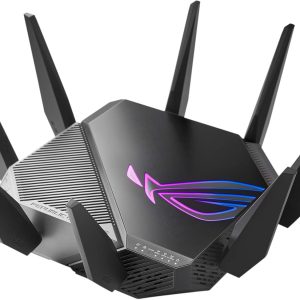
ASUS ROG Rapture GT-AXE11000 Tri-band WiFi 6E Extendable Gaming Router, 6GHz Band, 2.5G Port, Triple-level Game Acceleration, AiMesh Compatible
$233.17 -
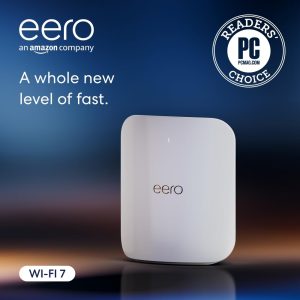
Amazon eero Max 7 mesh wifi router – 10 Gbps, Coverage 2,500 sq. ft., Connect 250+ devices, 1-pack
$419.99 -
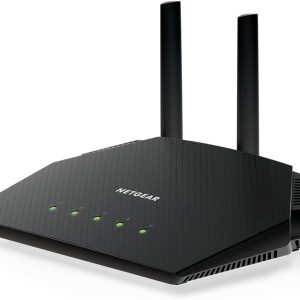
NETGEAR Nighthawk WiFi 6 Router (RAX36) – AX3000 3 Gbps Wireless Speed – Dual-Band Gigabit Internet – Covers 2,000 sq. ft., 25 Devices – Built-in VPN
$99.99 -

Google Nest WiFi Pro – Wi-Fi 6E – Reliable Home Wi-Fi System Whole Home Coverage – Mesh Router – 2 Pack
$89.99 -
NETGEAR Nighthawk Dual-Band WiFi 7 Router (RS90) – Router Only, BE3600 Wireless Speed (up to 3.6 Gbps) – Covers up to 2,000 sq. ft., 50 Devices – 2.5 Gig Port
$89.88 -

NETGEAR Nighthawk Dual-Band WiFi 7 Router (RS140) – BE5000 Wireless Speed (up to 5.0 Gbps) – Covers up to 2,250 sq. ft., 80 Devices – 2.5 Gig Port
$179.00 -
NETGEAR Nighthawk Dual-Band WiFi 7 for Gaming Router (RS180) – BE5500 Wireless Speed (up to 5.5 Gbps) – Covers up to 2,500 sq. ft., 80 Devices – 2.5 Gig Port
$179.00 -
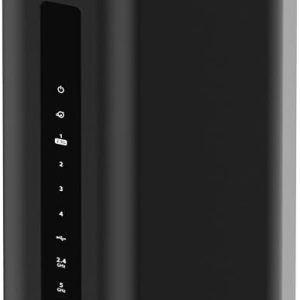
NETGEAR Nighthawk Tri-Band WiFi 7 for Gaming Router (RS500) – BE12000 Wireless Speed (up to 12 Gbps) – Covers up to 3,000 sq. ft., 120 Devices – 2.5 Gig Internet Port – Free Expert Help
$399.00 -
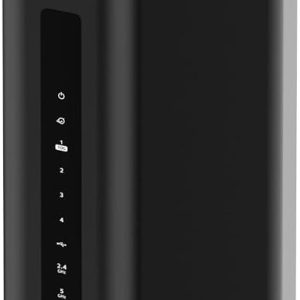
NETGEAR Nighthawk Tri-Band WiFi 7 for Gaming Router (RS600) – RBE18000 Wireless Speed (up to 18 Gbps) – 10 Gig Internet Port – Covers up to 3,300 sq. ft., 150 Devices – Free Expert Help
$449.99 -

NETGEAR Nighthawk Tri-Band WiFi 7 for Gaming Router (RS700S) – BE19000 Wireless Speed (up to 19 Gbps) – 10 Gig Internet Port – Covers up to 3,500 sq. ft. – 1-Year Armor & Free Expert Help
$539.99 -

NETGEAR Orbi 370 Series Dual-BandMesh Network System for Home, WiFi 7 for Gaming (RBE372) – Wireless Router + 1 Extender, Security Features, 5 Gbps, Covers 4,000 sq.ft., 70 Devices, 2.5GB Internet Port, BE5000
$199.98 -
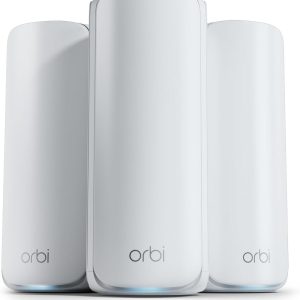
NETGEAR Orbi 770 Series Tri-Band Mesh Network System, WiFi 7 for Gaming (RBE773) – Router + 2 Satellite Extenders, Security Features, Up to 11Gbps, Covers up to 8,000 sq. ft., 100 Devices, 2.5 Gig Internet Port
$569.98