
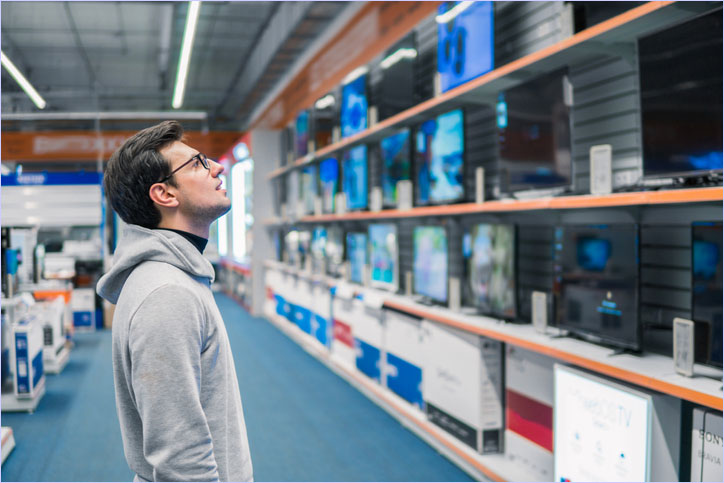
Upgrading your home entertainment setup is exciting! But stepping into the TV aisle—or browsing online—can feel like learning a new language. Between pixel densities, screen sizes, and smart features, it is easy to get overwhelmed.
If you are taking our Easy Chooser Quiz and paused at the “What size of TV?” question, you are in the right place. This Guide will break down exactly how to choose the right TV size and features for your space, ensuring your free Over-The-Air (OTA) channels and favorite streaming apps look incredible.
Table of Contents
- How to Measure TV Screen Size
- TV Viewing Distance Guide: Finding the Sweet Spot
- Understanding TV Resolution: 1080p vs. 4K UHD
- What is HDR (High Dynamic Range)?
- Refresh Rates: 60Hz vs. 120Hz
- The Best Refresh Rates for Gaming and Sports
- TV Types: LED, OLED, and QLED Explained
- Smart TV Features for Cord Cutters
- Return to the Easy Chooser Quiz
 How to Measure TV Screen Size
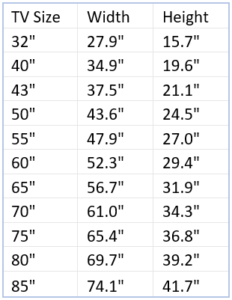
Before worrying about the features inside the TV, you need to understand how the outside is measured. TV screens are measured diagonally. If you see a 50-inch TV advertised, that measurement is taken from the bottom-left corner of the screen to the top-right corner (excluding the physical frame or “bezel” around the screen). When planning your space, remember to check the manufacturer’s actual dimensions (width and height) to ensure it fits perfectly into your entertainment center or wall space.
TV Viewing Distance Guide: Finding the Sweet Spot
The biggest mistake you can make is buying a TV that is too large or too small for your room. A massive screen in a tiny room will cause eye strain, while a small screen in a large living room will make you squint to read the score of the game.
A great rule of thumb for modern 4K TVs is to measure the distance from your seat to the screen in inches, and divide that number by 1.2.
Here is a quick cheat sheet to help you answer the quiz:
- 32 Inches & Under: Best for kitchens, small guest rooms, or viewing from 3 to 4 feet away.
- 33 to 43 Inches: Ideal for standard bedrooms or smaller apartments. (Viewing distance: 4 to 5 feet).
- 44 to 49 Inches: Great for mid-sized living spaces. (Viewing distance: 5 to 6 feet).
- 50 to 59 Inches: The standard for most modern living rooms. (Viewing distance: 6 to 7.5 feet).
- 60 to 69 Inches: Perfect for larger family rooms or home theater setups. (Viewing distance: 7.5 to 9 feet).
- 70 Inches & Up: The ultimate cinematic experience for massive rooms. (Viewing distance: 9+ feet).
Note: If you plan to watch TV on your computer monitor, sit comfortably at your desk—usually 2 to 3 feet away is ideal for standard monitors!
Understanding TV Resolution: 1080p vs. 4K UHD
Resolution refers to the number of pixels that make up the picture on your screen. More pixels mean a sharper, more lifelike image.
- 720p / 1080p (High Definition): You will mostly find these resolutions on smaller TVs (32 inches and under). At smaller screen sizes, the human eye cannot easily tell the difference between 1080p and higher resolutions, making them incredibly cost-effective.
- 4K UHD (Ultra High Definition): This is the current standard for modern televisions. 4K TVs have four times the pixels of a 1080p TV. If you are buying a TV that is 43 inches or larger, 4K is an absolute must. It provides crisp details, which is especially noticeable when streaming high-quality movies or watching live sports.
- Want to go deeper? See our Article “TV Resolution Comparison – HDR 16K 8K 4K HD SD“.
What is HDR (High Dynamic Range)?
Once you have decided on a 4K resolution, you will likely see marketing terms like “HDR” and “120Hz” splashed across the TV box. Here is a simple breakdown of what these mean and whether you actually need them.
If 4K is about adding more pixels, HDR is about creating better pixels. High Dynamic Range vastly improves the contrast and color of your TV. It makes the bright parts of the screen brighter (without washing out the image) and the dark parts darker (without losing detail in the shadows).
If you love cinematic movies or visually stunning nature documentaries, HDR is a fantastic feature. When shopping, look for TVs that support common HDR formats like HDR10 or Dolby Vision.
Refresh Rates: 60Hz vs. 120Hz
The “refresh rate” simply means how many times per second the TV draws a new image on the screen. It is measured in Hertz (Hz).
- 60Hz (Standard): The TV refreshes 60 times per second. This is the standard for almost all modern TVs and is perfectly fine for watching everyday OTA broadcasts, streaming your favorite sitcoms, and watching most movies.
- 120Hz (Premium): The TV refreshes 120 times per second. This results in incredibly smooth motion with zero blur.
The Best Refresh Rates for Gaming and Sports
- If you have a gamer in the house or you are a die-hard sports fan, a 120Hz refresh rate is highly recommended. Fast-moving objects—like a football flying across the field or rapid camera panning in an action-heavy video game—can sometimes look slightly blurry or “judder” on a 60Hz TV. A 120Hz screen eliminates this, keeping the action crisp and fluid.
- NOTE: If you are buying a TV to use with a next-generation gaming console (like the PlayStation 5 or Xbox Series X), you absolutely want a 120Hz TV equipped with an HDMI 2.1 port (make sure you also have a 2.1 HDMI cable). This specific combination ensures you are getting the absolute best frame rates, lowest input lag, and smoothest gameplay possible.
TV Types: LED, OLED, and QLED Explained
When looking at TV panels, you will see a lot of acronyms. Here is the simple breakdown:
- LED: The most common and budget-friendly option. They offer bright screens and great overall performance for everyday viewing.
- QLED: A step up from standard LED. These use “quantum dots” to produce brighter, more vibrant colors. They are fantastic for well-lit living rooms with lots of natural sunlight.
- OLED: The premium choice. Because each pixel lights up individually, OLED TVs offer perfect, inky blacks and stunning contrast. They are the best choice for dark, home-theater environments.
Smart TV Features for Cord Cutters
As a cord cutter, the “brains” of your TV matter. Most modern TVs are “Smart TVs,” meaning they connect to your home’s WiFi and have built-in operating systems (like Roku, Amazon Fire OS, or Google TV). They usually also offer a plethora of preloaded Channel Apps.
When selecting your TV, consider:
- App Availability: Ensure the TV’s operating system supports your favorite streaming services (Netflix, Hulu, Disney+, etc.). Try our Choose Device OS by Channel App tool.
- OTA Tuners: If you plan to connect a digital antenna directly to the TV to watch free local broadcasts, verify that the TV has a built-in coaxial input (an ATSC tuner). Most do, but it is always smart to double-check! Future proof by considering a TV or tuner box with the new ATSC 3.0 NexGenTV tuner.
- HDMI Ports: Make sure the TV has enough HDMI ports (ideally 3 or 4) if you plan to plug in an external streaming stick, an OTA DVR, or a soundbar.
Armed with this knowledge, you are ready to make the perfect choice for your home. Head back to the Easy Chooser Quiz to select your ideal screen size and discover the best cord-cutting setup for your specific needs!
Top Rated TVs
When you purchase through links on our site, we may earn an affiliate commission with no additional cost to you.
-
LG 55″-97″ Class OLED evo AI 4K G5 Series Smart TV, Dolby Atmos, Dolby Vision, AI Super Upscaling, Alexa
$1,799.96 -
PANASONIC Z95 Series 55″-77″ OLED 4K UHD Smart Fire TV, Dolby Vision, 144Hz, Alexa
$1,999.99 -
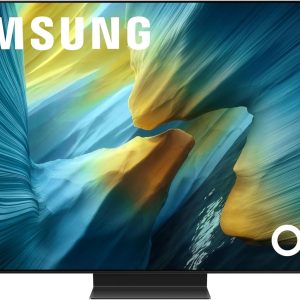
SAMSUNG 42″-83″ OLED S95F 4K Smart TV NQ4 AI Gen3 Processor, OLED HDR Pro, Motion Xcelerator 164Hz, Dolby Atmos, Alexa
$1,797.95 -
Sale!
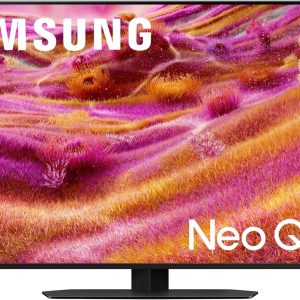
Samsung 43″-115″ Neo QLED 4K QN90F Series, Vision AI, Mini LED Smart TV (43QN90F) Neo Quantum HDR+ Dolby Atmos, Gaming Hub, Alexa
Original price was: $1,197.99.$897.99Current price is: $897.99. -

Sony 55″-85″ Mini LED QLED 4K UHD TV BRAVIA 7 Smart Google TV Dolby Vision HDR for PlayStation®5
$1,098.00 -
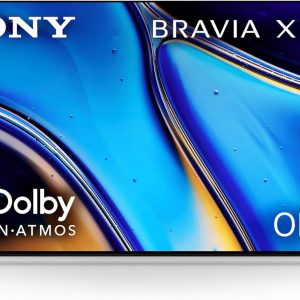
Sony 55″-77″ OLED 4K UHD TV BRAVIA XR8B Smart Google TV Dolby Vision HDR for PlayStation® 5
$1,498.00 -
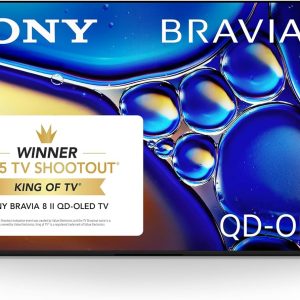
Sony BRAVIA 8 II 55″-65″ TV, QD OLED, 4K Google TV, XR Processor 120hz Television, Dolby Vision/Atmos, for PS5, K-55XR80M2
$2,298.00 -

Sanus Universal Low Profile Tilt TV Wall Mount for 37″ – 80″ LED, LCD & Plasma TVs, Eliminates Glare with 10º of Tilt & Post, MLT14-B1
$54.99 -
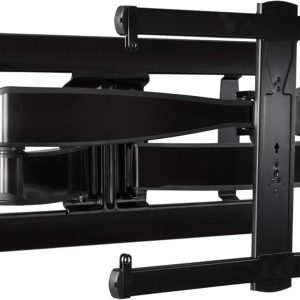
SANUS Full Motion TV Wall Mount for 42” to 90” TVs up to 125lbs – Extend, Swivel, Tilting TV Mount
$349.00 -

SANUS Height Adjustable Full Motion TV Wall Mount for 42″ to 90″ TVs – Raise or Lower TV 4″, Tilt & Swivel
$354.66 -
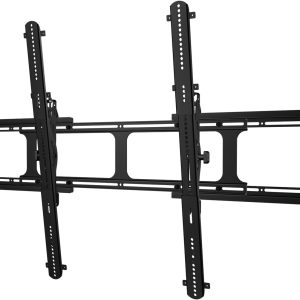
Sanus 65-140″ Tilt Wall Mount (VXT7-B2)
$169.99 -
Sale!
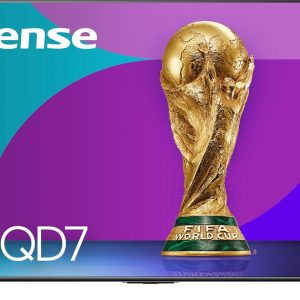
Hisense 50″-100″ Class QD7 Series Mini-LED 4K UHD Smart Fire TV (50QD7QF – QLED, HDR10+, Dolby Vision, Dolby Atmos, Game Mode Plus, Alexa Built in
Original price was: $399.00.$299.99Current price is: $299.99.