

 Shopping for your cord-cutting gear can feel incredibly confusing. You might find two 65-inch TVs sitting side-by-side—both running Google TV—but one costs $350 while the other costs $1,200. You will see the exact same pattern with streaming sticks, soundbars, and even over-the-air tuners.
This leads to a very common question: why are some TVs more expensive than others when they seem identical on the surface?
The short answer is the physical hardware. While the smart operating system on the screen behaves the same way, the components under the hood determine the performance, longevity, and overall experience.
This guide breaks down the three main hardware tiers—Economy, Popular, and Premium—across all your cord-cutting gear so you can build the perfect home setup without overpaying.
- The Economy Tier: Maximum Value
The Goal: To get a big screen, essential smart apps, and functional audio for the absolute lowest upfront cost.
Economy devices are fantastic for budget-conscious buyers, secondary bedrooms, playrooms, or casual viewing. Manufacturers in this space keep retail prices low by using cost-effective materials and standard components.
What the Hardware Looks Like:
- Televisions (e.g., Entry-Level TCL, Hisense): These use standard LED panels and basic plastic casings. The picture is clear and bright, but they lack the processing power to display deep, inky blacks or handle fast-paced sports motion flawlessly.
- Streaming Players: Budget-friendly streaming sticks that plug directly into the back of your TV. They have smaller internal processors and less memory, meaning menu navigation can occasionally feel a bit sluggish.
- Soundbars (e.g., 2.0 to 3.0 Channels): Simple, compact soundbars that offer basic left and right audio channels. They vastly outperform built-in TV speakers but lack deep bass (often no separate subwoofer) or surround sound.
Why It Costs Less: You get all the exact same smart apps and TV channels, but you skip the expensive, cutting-edge visual and audio enhancements.
- The Popular Tier: The Sweet Spot
The Goal: A reliable, high-performing setup for your main living space that balances great quality with a sensible price tag.
This is the tier where the majority of cord-cutters find their perfect match. Stepping up to the Popular tier means you are paying for upgraded internal tech that noticeably improves your daily viewing and listening experience.
What the Hardware Looks Like:
- Televisions (e.g., High-End TCL, Mid-Range Sony, LG, Samsung): Here you find technologies like QLED (Quantum Dot) which offer much richer colors and higher brightness to fight off glare in sunny rooms. You also get faster internal processors for snappier menus.
- Streaming Players (e.g., Google TV Streaming, Roku Ultra, Amazon Fire TV Cube): Mid-to-high level streaming boxes. These have robust processors and excellent Wi-Fi connection, ensuring your apps load instantly and video streams never buffer.
- Soundbars (e.g., 3.1 to 5.1 Channels): Systems that include a dedicated center speaker (specifically for clear dialogue) and a wireless subwoofer for rich, deep bass during movies and sports.
Why It Costs More: You are paying for a significant step up in brand quality control, faster processing speeds, better materials, and a much longer hardware lifespan.
The Goal: Built for the home theater enthusiast who wants zero compromises on visual, audio, and network fidelity.
When you purchase Premium hardware, you are paying for elite, cutting-edge engineering designed to replicate a commercial cinema experience right in your living room.
What the Hardware Looks Like:
- Televisions (e.g., Flagship Sony, LG, Samsung): These feature advanced panel technologies like OLED or Mini-LED. Because OLED pixels can turn completely off, you get perfect, infinite black levels and unmatched contrast. They also feature elite image upscaling that makes standard HD broadcasts look beautifully sharp.
- Streaming Players (e.g., Apple TV 4K, NVIDIA Shield TV Pro): Top-tier streaming boxes with massive processing power, advanced upscaling, gigabit Ethernet ports, and seamless integration with smart home ecosystems.
- Soundbars (e.g., 5.1.2 to 7.1.2 Dolby Atmos): Elite soundbar packages featuring upward-firing speakers that bounce sound off your ceiling, creating an immersive, 3D dome of sound.
- Advanced Tuners (e.g., HDHomeRun Multi-Tuner): High-end Over-the-Air tuners that allow you to watch and record multiple free broadcast channels at the same time across your entire home network.
Why It Costs the Most: You are paying for premium build materials (like ultra-slim metal frames), industry-leading processing chips, and the absolute highest audio/visual standards available on the consumer market.
So, Why Are Some TVs More Expensive? Choosing Your Hardware Tier
Ultimately, the best tier depends on where you are putting the equipment and how you plan to use it:
- Go Economy if you want to set up a secondary TV, a guest room, or just want a simple, budget-friendly setup for casual news and sitcoms.
- Go Popular if you are equipping your main family room and want a snappy, reliable system with a bright screen and clear movie dialogue.
- Go Premium if you are building a dedicated home theater space, are sensitive to picture and sound quality, or want the absolute best tech that will stay relevant for years to come.
Ready to find the exact devices that fit your style, space, and favorite channels? Take our 2-Minute Easy Quiz to build your custom cord-cutting bundle today!
Frequently Asked Questions
Q: Can a cheap TV run the same apps as an expensive TV?
A: Yes. If both TVs run the exact same operating system (such as Google TV or Roku OS), they will have access to the same apps and streaming services. The price difference lies entirely in the physical screen quality, processing power, and build materials.
Q: Why does a basic LG or Samsung TV cost more than a budget TCL or Hisense?
A: Legacy brands like LG and Samsung invest heavily in proprietary hardware manufacturing, rigorous quality control, and longer standard warranties. While budget brands offer incredible value, legacy brands charge a premium for their established reliability and superior panel processing.
Q: Is it better to buy a cheap smart TV or a cheap TV with an external streaming box?
A: If you are on a strict budget, buying an economy TV is a great start. However, if the built-in smart TV interface ever becomes slow with time, you can easily upgrade the performance by plugging a fast, mid-range external streaming box into one of the HDMI ports.
Popular Devices
When you purchase through links on our site, we may earn an affiliate commission with no additional cost to you.
-
Sale!

Sony BRAVIA Theater Quad 16 Home Theater Surround Sound System HT-A9M2 and SA-SW5 Wireless Subwoofer
Original price was: $3,499.98.$703.98Current price is: $703.98. -
Sale!
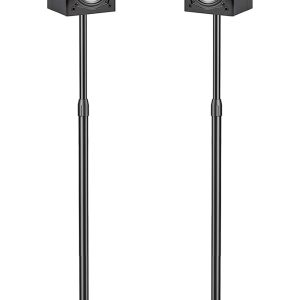
PERLESMITH Speaker Stands Adjustable – Extend 20″ to 44″ – Holds Satellite Speakers up to 9 lbs, 1 Pair
Original price was: $50.99.$37.99Current price is: $37.99. -
Sale!
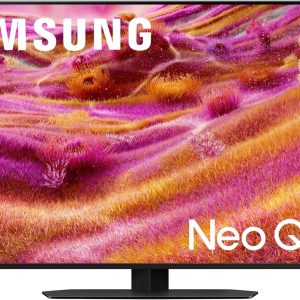
Samsung 43″-115″ Neo QLED 4K QN90F Series, Vision AI, Mini LED Smart TV (43QN90F) Neo Quantum HDR+ Dolby Atmos, Gaming Hub, Alexa
Original price was: $1,197.99.$897.99Current price is: $897.99. -
Sale!
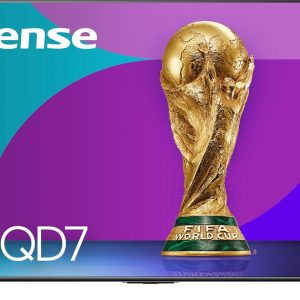
Hisense 50″-100″ Class QD7 Series Mini-LED 4K UHD Smart Fire TV (50QD7QF – QLED, HDR10+, Dolby Vision, Dolby Atmos, Game Mode Plus, Alexa Built in
Original price was: $399.00.$299.99Current price is: $299.99.